Chronological by design
Newest or oldest first. Order is never inferred from behaviour or content.
A straightforward RSS reader
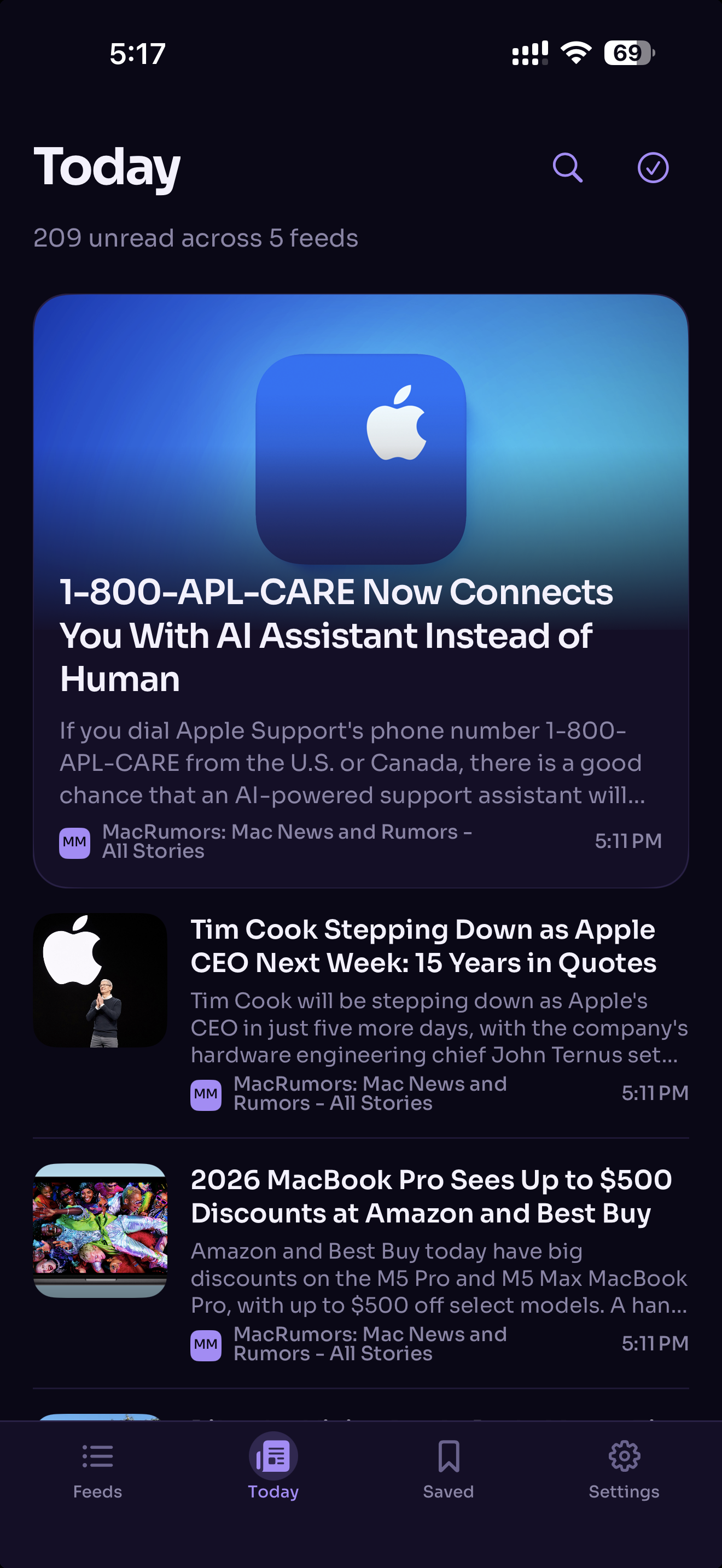
A chronological home for every publication you follow—without rankings, recommendations, an RSS Edition account or another subscription.
Nothing to learn
No ranking engine. No discovery feed. Just the sources you chose, in the order they published.
Newest or oldest first. Order is never inferred from behaviour or content.
Reader, in-app web, Safari or text only—with a remembered default for every feed.
OPML import and export, feed discovery, extraction fallbacks and malformed XML handled without drama.
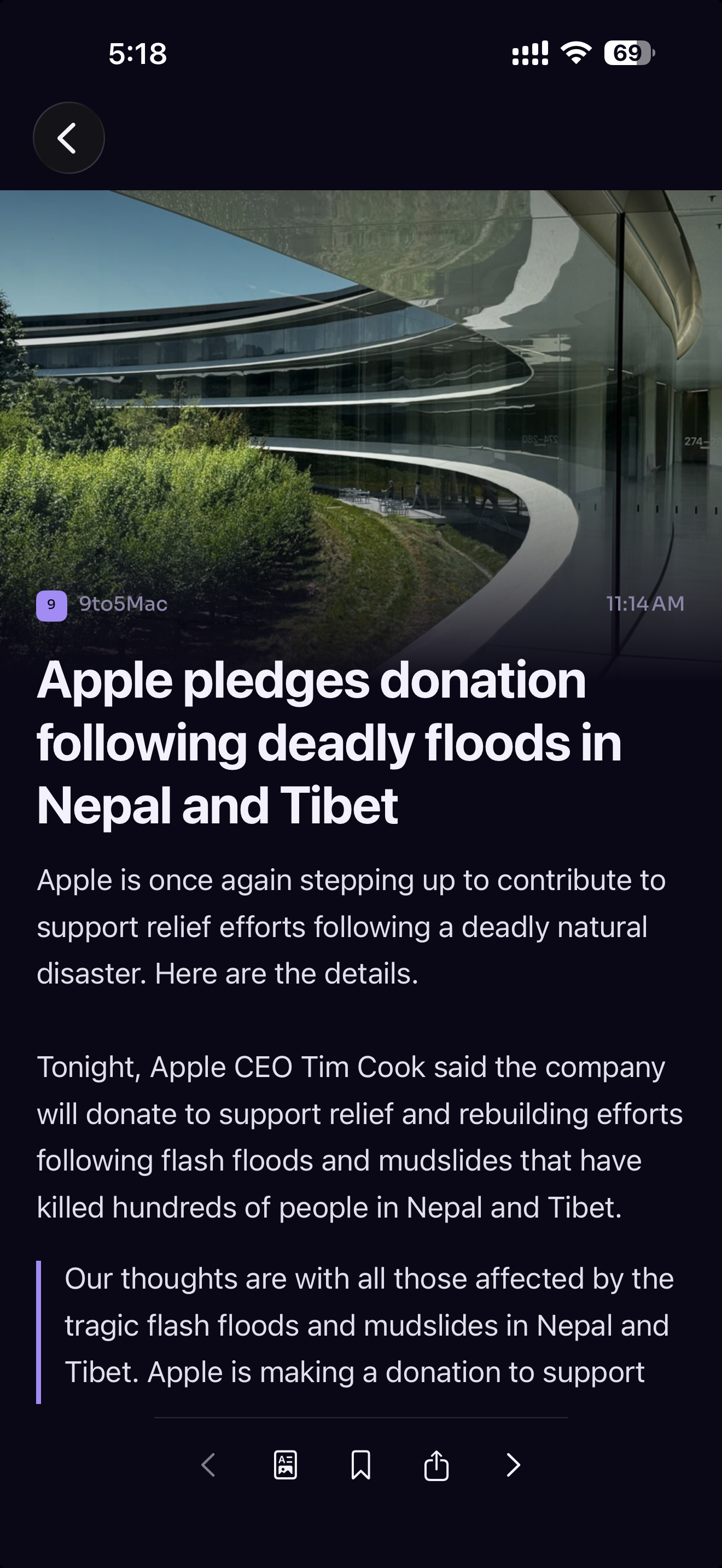
The reading view is the product
Eleven device fonts, live sizing, line spacing, margins and Dynamic Type. If extraction fails, RSS Edition tells the truth and offers the right next step.
Built for serious reading
Serious feed-reading capability in plain English, without turning the interface into a control panel.
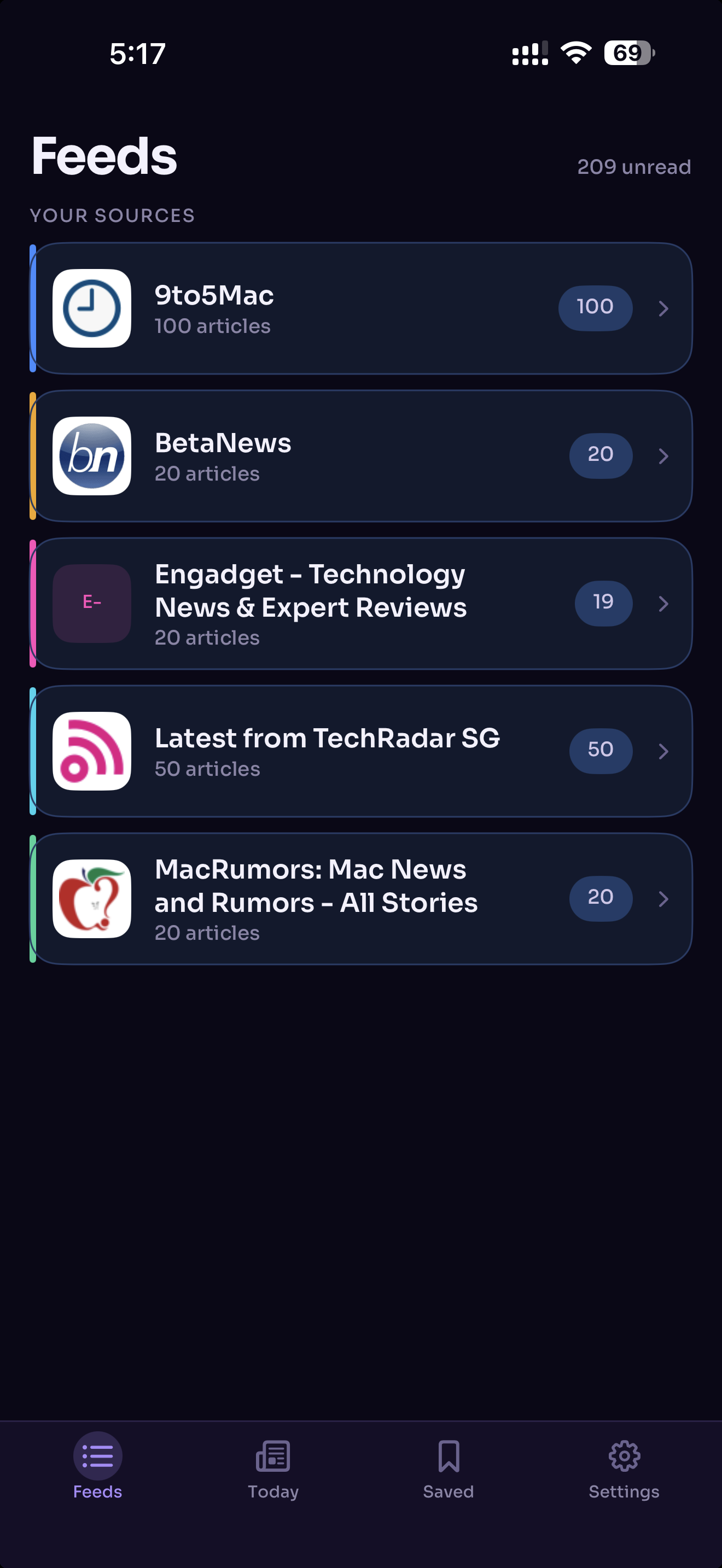
URL discovery, import and export, folders, duplicate handling and feed editing.
Lead story, rows, source filters, configurable excerpts, swipes, refresh and undo.
Reader, in-app web, Safari and text only, with global and per-feed defaults.
Fallback extraction, structured text and links, images, reading progress and a focused toolbar.
Eleven fonts, size, spacing, margins, bold text, Dynamic Type and four reading themes.
Folders, ordering, mute, unsubscribe and feed editing without crowding the reading list.
Downloaded article text, saved items, local title and source search, and retention controls.
Subscriptions, folders, feed order, muted state and article-opening preferences—with local-only fallback.
Article sharing, background refresh, selected-feed notifications and layouts for iPhone and iPad.
Dynamic Type, light and dark themes, reduced-motion support, one unlock and no tracking.
The actual app
Captured from the current RSS Edition 1.0 build.
Feeds
Feed health, folders, mute and management remain close without crowding Today.
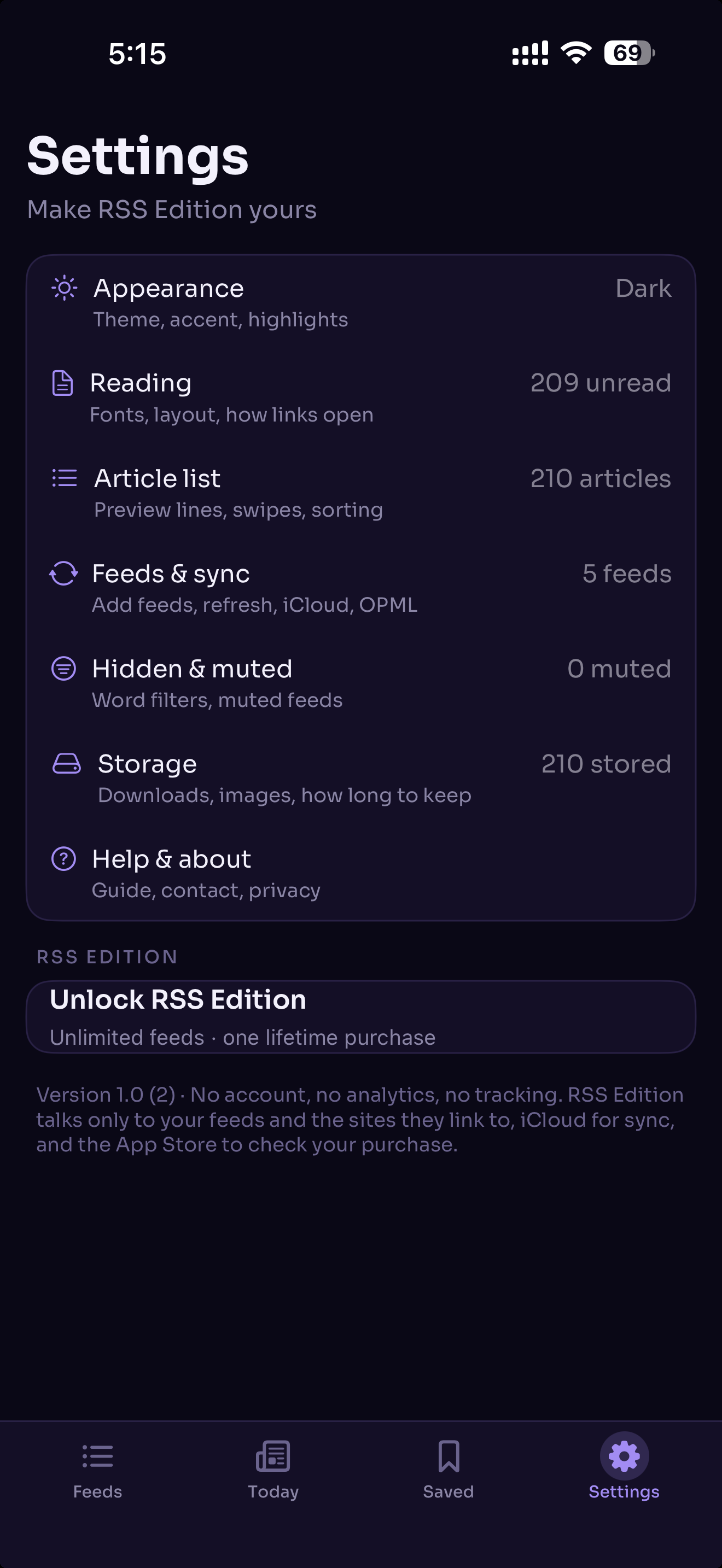
Settings
Appearance, reading, article list, feeds and sync, hidden rules, storage and help.
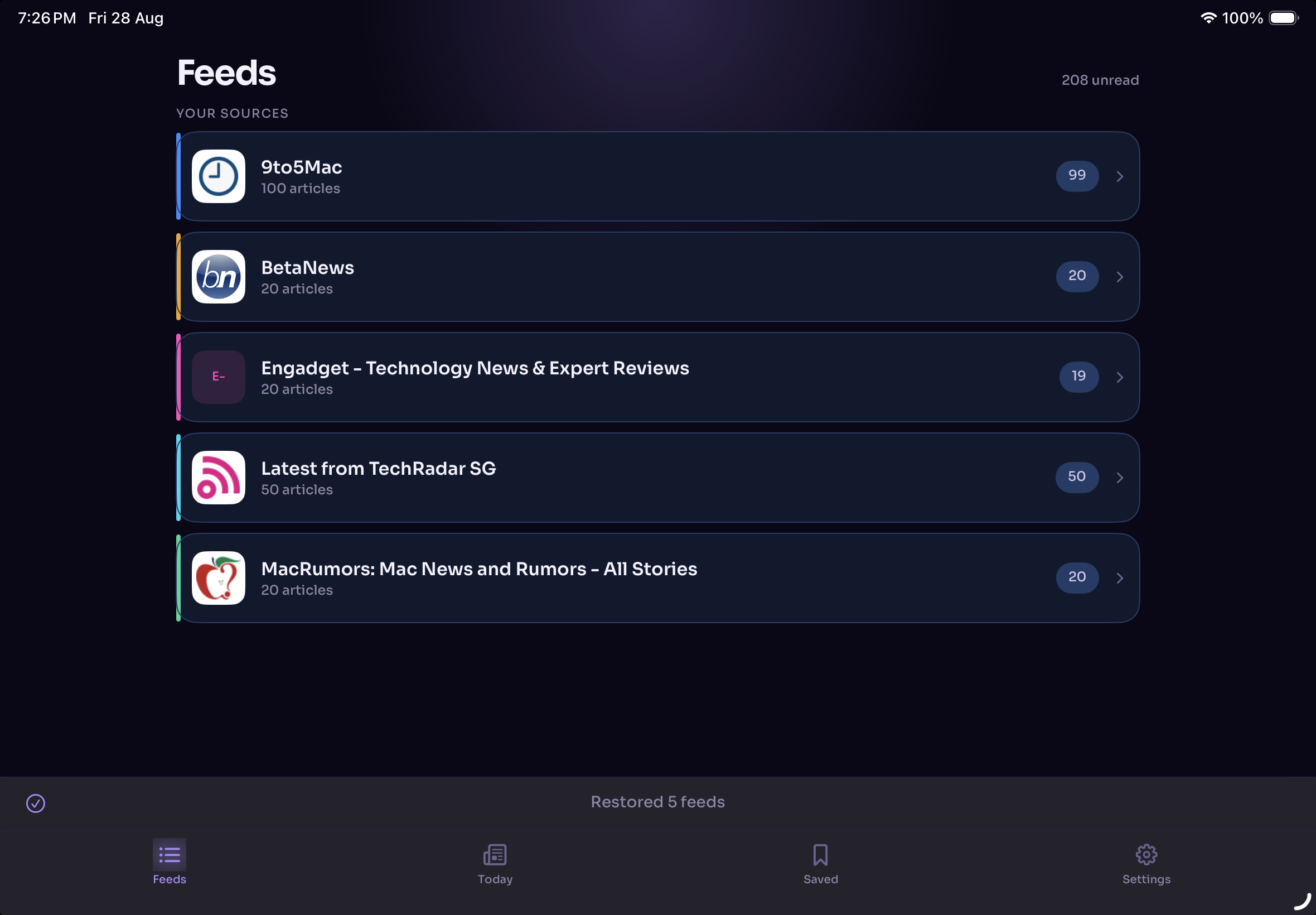
Current iPad capture
A successful five-feed restore shown in the current landscape layout, with the same navigation model as iPhone.
Dependable by default
Useful actions for no feeds, unread, saved items and search results.
Inline refresh errors never block the other subscriptions.
Downloaded article text remains available without disruptive dialogs.
The reader continues locally when private sync is unavailable.
Contact RSS Edition
Messages are delivered privately through this website. You can also email [email protected].
Privacy in plain English
Our policy explains local article storage, private CloudKit sync, purchases, diagnostics, contact submissions and Turnstile.
Get RSS Edition
Read your favorite feeds on iPhone and iPad. Start free with up to five feeds, then unlock unlimited feeds with one lifetime purchase.
 Free to download · iPhone and iPad